Troubleshooting and license errors
Troubleshooting and license errors
What DataMagik Desktop's messages mean, and what to do about each one.
Activation and license
These show on Activate DataMagik Desktop, on License & account, or after Check now. Your Plex credentials and work on this PC are kept in every case.
| Message | What to do |
|---|---|
| That license key wasn't found | Check the key against the email your administrator forwarded, including any dashes, and try again. |
| That key is for a different DataMagik product | Desktop needs a DataMagik Desktop license key. Check the key, or sign in with your DataMagik account. |
| Every seat on this license is in use | Deactivate DataMagik Desktop on a PC that no longer needs it, or ask your administrator for more seats. |
| (Company)'s plan does not include DataMagik Desktop | Ask your DataMagik administrator to add Desktop to the plan, switch to a company that has it, or activate with a license key instead. |
| This license has expired | Ask your DataMagik administrator to renew it, then choose Check again. |
| This PC hasn't reached DataMagik in over 14 days | Connect this PC to the internet, then choose Check now. Nothing needs renewing: Desktop only has to check in with DataMagik once every 14 days. License & account stays open so you can do this. |
| This PC has been offline too long | Connect to the internet and choose Check again. |
| This PC was removed from the license | An administrator ended this activation. Ask them to restore it, or activate with another license. |
| This PC's activation couldn't be verified | Activate again. |
| This activation belongs to another PC | Activate again on this PC. If you copied DataMagik from another computer, that copy's seat stays with it. |
| You're signed out of DataMagik | Sign in again to activate with your account. |
| Can't reach DataMagik | Check this PC's internet connection and try again. After the first activation, Desktop works offline for up to 14 days. |
| Too many attempts | Wait a minute, then try again. |
| There's no activation waiting | Start again by entering your license key. |
| DataMagik can't issue activations right now, or DataMagik had a problem | This is on DataMagik's side. Try again in a few minutes; if it keeps happening, contact DataMagik support. |
| DataMagik sent an answer we couldn't read | Try again. If it keeps happening, update DataMagik Desktop. |
While the license status is Offline, everything keeps working; the box at the bottom of the menu shows the date to connect by. See Getting started with DataMagik Desktop.
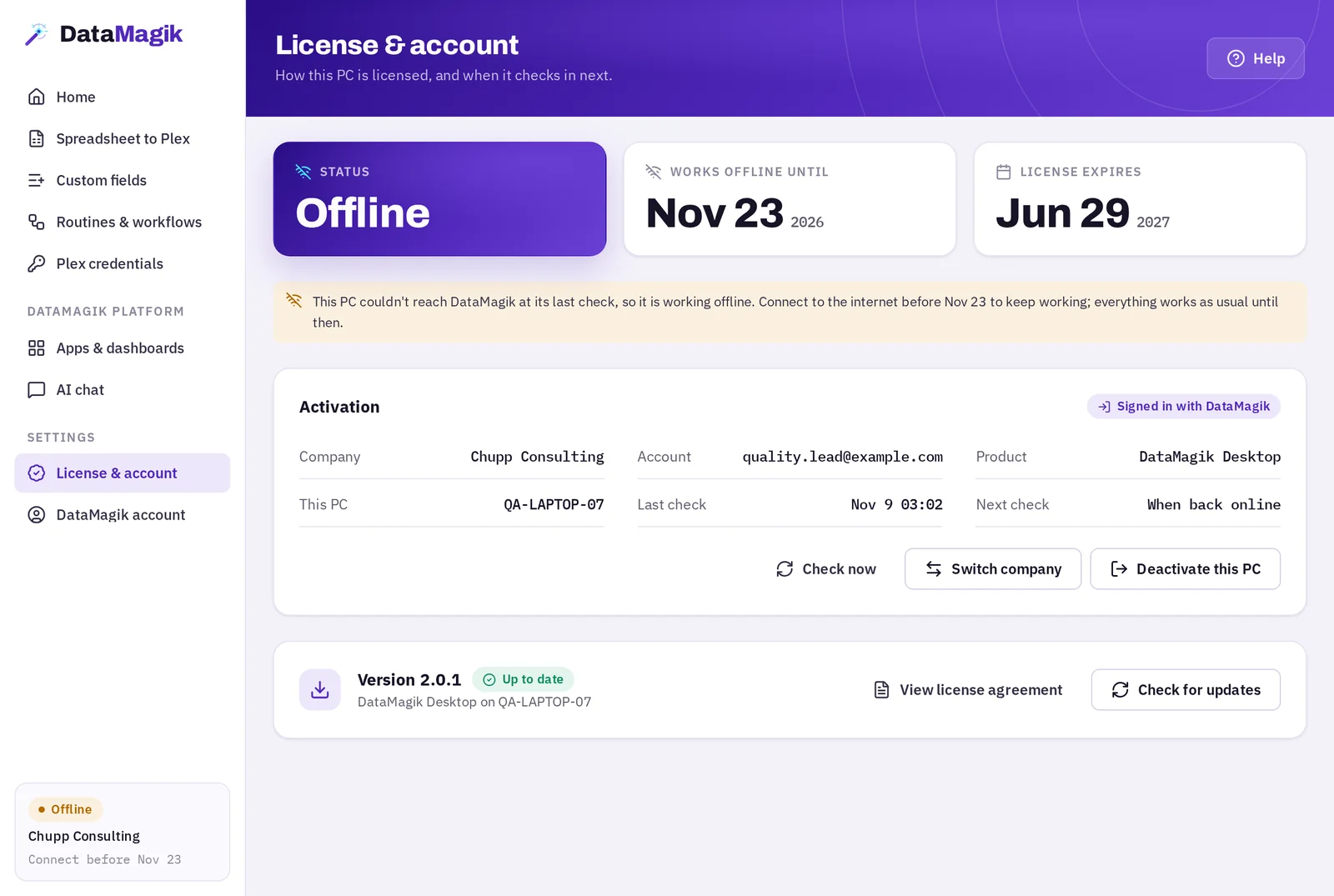
Working offline: connect before the date shown.
Refresh data sources
| Message | What to do |
|---|---|
| Plex refused the web service user name or password | Check them on Plex credentials, save, and refresh again. |
| Plex listed no data sources | Ask Plex Support to give the web service user the data sources you need, then refresh again. |
| Couldn't reach Plex | Check this PC's internet connection and try again. |
| Plex answered with an error, or Plex's answer couldn't be read | Try again in a few minutes; if it keeps happening, contact Plex Support. |
| Refresh data sources only applies to web service credentials | A Developer Portal key has no data sources to refresh. |
Loading a spreadsheet
We couldn't read that file means the file isn't one DataMagik Desktop can read. Check that it is an Excel file with a tab called Upload Template, or a CSV file with the column names in its first line, then load it again. A template from Get a template is already set up this way.
Sending to Plex
- Plex asked us to slow down. Plex allows about 1,000 calls a minute per credential, shared by every PC using it. DataMagik Desktop pauses and resumes by itself. If it happens often, lower Calls per minute from this PC on the credential.
- Rows failed. The results table shows what Plex said for each failed row. Retry the failed rows sends the same rows again, which helps when the cause has passed. If the row itself is wrong, fix it in your spreadsheet and load it again.
- Plex reported a problem (custom fields) shows Plex's own message.
Updates
| Message | What to do |
|---|---|
| Couldn't reach DataMagik to check for updates | Check this PC's internet connection, then choose Check for updates again. |
| This build doesn't check for updates | Install DataMagik Desktop from data-magik.com to get updates. |
| The download didn't verify | The download didn't match what DataMagik published, so nothing was installed. Choose Try again, or Download from the website. |
| The download didn't finish, or The download failed | Nothing was installed. Choose Try again. |
| Finish what's running first | A send or a run is still going. Updating closes DataMagik, so let it finish (or stop it), then choose Install now again. |
Still stuck?
Choose Help on the screen you are on for a short summary of its steps. If you need a license, choose Contact DataMagik on the activation screen.