Your Account
Your Account
Manage your profile, security, and account activity.
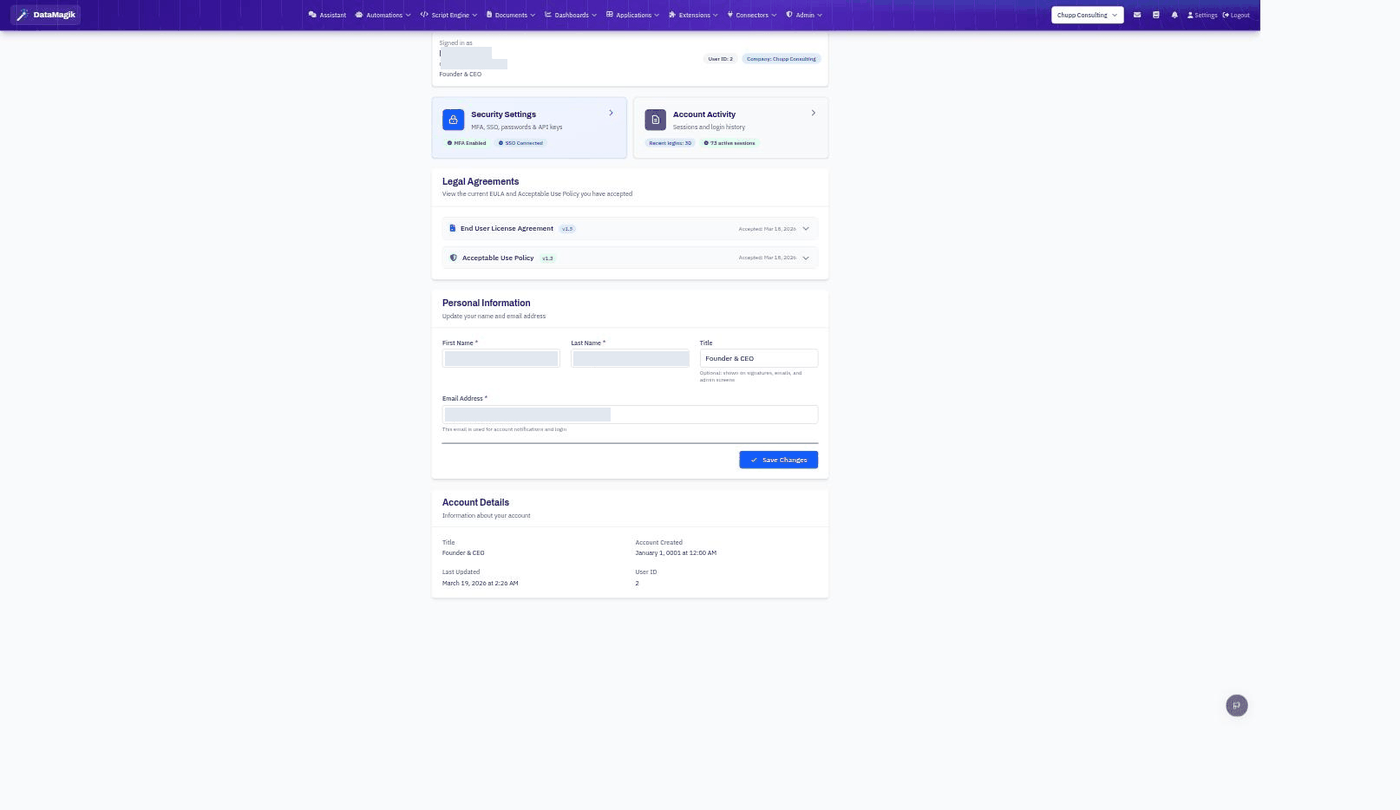
Click Settings in the top navigation bar to open your account. From here you can update your details, manage security, and review your activity.
Personal information
Under Personal Information, update your first and last name, your title (shown on signatures, emails, and admin screens), and the email address used for account notifications and login. Click Save Changes to apply.
Security settings
The Security Settings card leads to your password, multi-factor authentication, single sign-on, and API keys:
- Password — change your password.
- Multi-factor authentication (MFA) — add a second factor with an authenticator app for stronger security, and manage backup codes.
- Single sign-on (SSO) — connect a Google or Microsoft account to sign in without a password.
- API keys — create keys to access the DataMagik API from scripts and external systems. Treat keys like passwords: copy a key when it's created (you won't be shown it again), and delete keys you no longer use.
Account activity
The Account Activity card shows your recent logins and active sessions, so you can spot unfamiliar access.
Legal agreements
Under Legal Agreements you can review the versions of the End User License Agreement and Acceptable Use Policy you have accepted.