Label Designer administration and AI access
Label Designer administration and AI access
How the Label Designer knows which Plex data sources to call, and how AI assistants can work with labels.
The data source registry
Every read and save the Label Designer makes is mapped to a specific Plex data source in the data source registry: which UX data source an operation calls, and how its inputs and outputs map to the label. When Plex changes a data source, the registry is updated — not the software — and every company picks up the change.
- Open it from Label Designer → Settings → View full registry.
- Each version is a complete, permanent snapshot. Publishing creates a new version; rolling back creates a new version that copies an older one, so the history is never rewritten.
- Before a version can be published, DataMagik validates every mapping against Plex's catalog: required operations bound, data sources exist, inputs and outputs match.
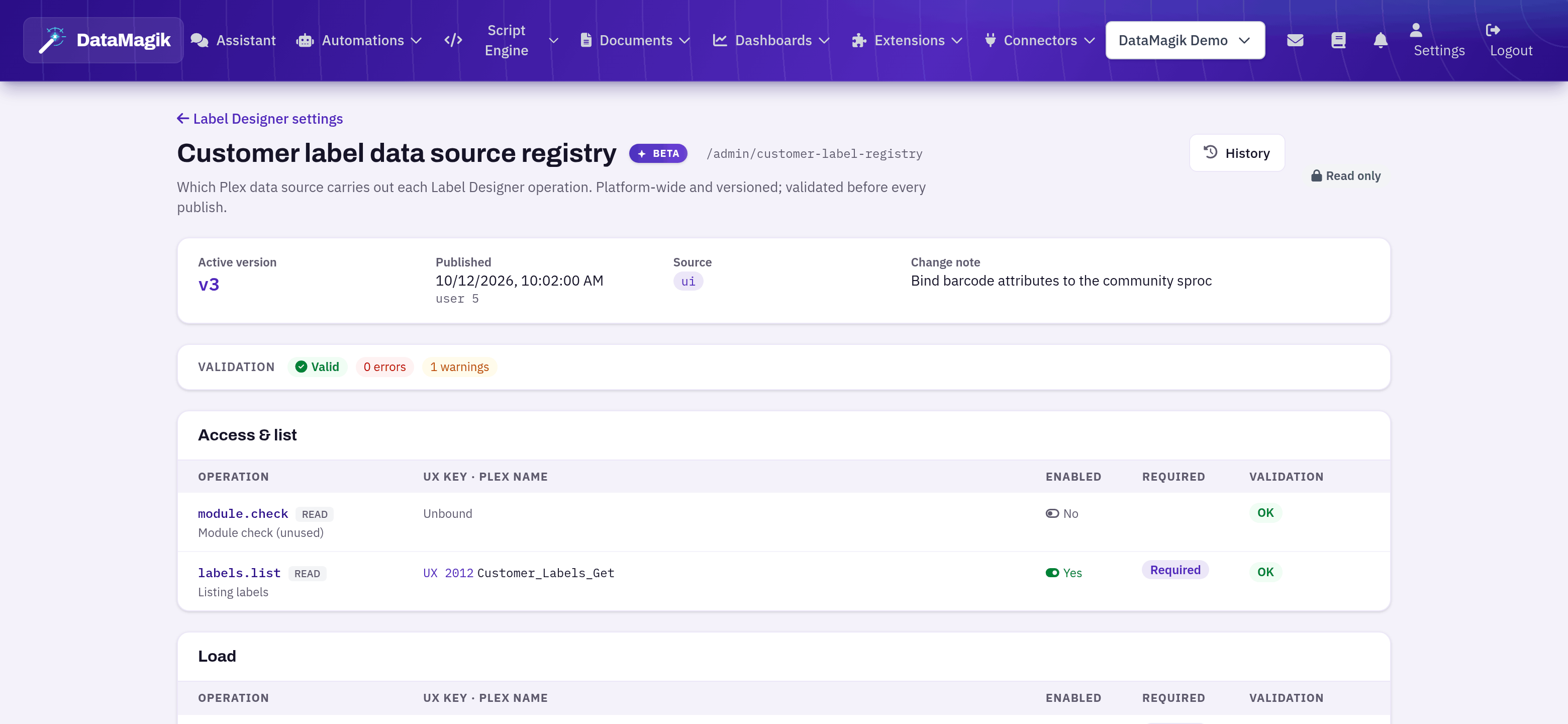
Permissions: Builders can view the registry. Publishing, patching and rolling back affect every company and are limited to DataMagik platform operators.
AI assistants and MCP
The Label Designer is available to AI assistants through the DataMagik MCP server, with the same permissions, licence and Plex access as the screens.
- customer_labels — list PCN connections and labels, read a label, search catalogs and sample data, check data source access, plan a save, generate ZPL and previews, and — as writes that require approval — save, convert, restore, test print and re-check access.
- label_registry — read registry versions, operations and differences, and validate changes. Publishing is limited to platform operators, and this tool set is not offered to company AI assistants.
An assistant edits a label the same way the screen does: it plans the change first, sees the exact Plex calls and checks, and only then saves. Saves from an assistant produce the same Plex revisions and change-log entries as saves from the editor.
Auditing
- Every save, restore, conversion and test print is recorded in the DataMagik change log with the user, the label and what changed.
- Every completed save also writes a revision in Plex, noted with the DataMagik user who made it.
- Registry publishes and rollbacks are recorded in the change log too.