DataMagik - Desktop
Stop typing your data. Start casting it.
DataMagik moves Excel straight into Plex Data Source APIs — Add, Update, Get and Delete in bulk, at a speed that turns data work from a chore into an edge.

Magic, applied to data
Data management, turned into a strategic advantage
Excel in, Plex out
Each row in your sheet becomes one change in Plex: Add, Update, Get and Delete against Plex Data Source APIs. DataMagik checks every row before anything is sent, and you try it on Plex test before Plex live.
Custom fields in bulk
Fill in custom field values on parts, suppliers or customers from a spreadsheet. You see what will change against today's Plex values, and only the differences are sent.
Routines and workflows
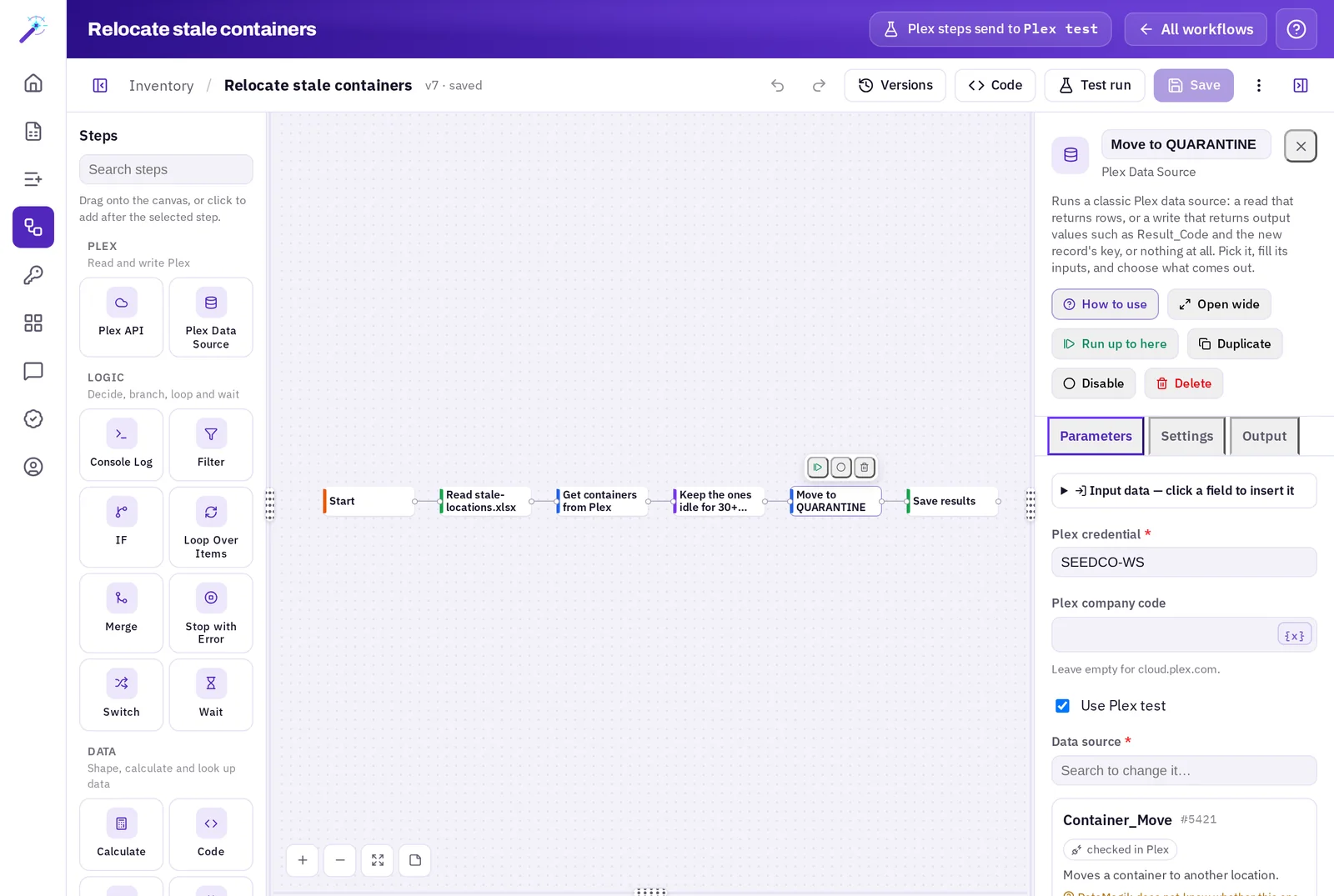
Save a set of Plex steps and run them, one after another, whenever you need them. Each step can use what the one before it found.
Pick a data source and DataMagik builds the spreadsheet template for it, with the right columns in the right order, so you never transcribe a field list by hand.
See the app
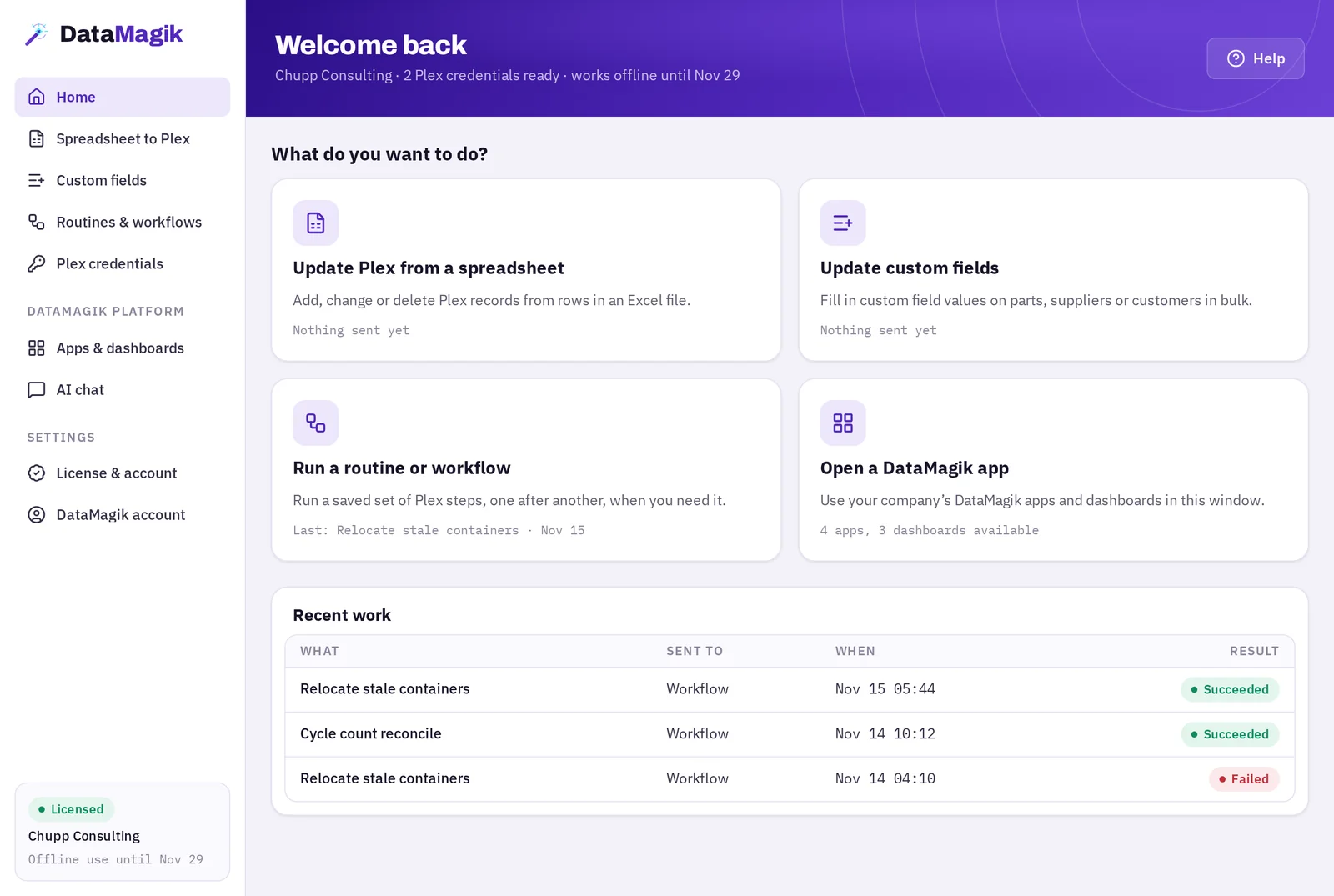
Everything you send to Plex, in one place
Home starts every job and keeps a list of what you sent, where it went and how it ended. Workflows are built on a canvas, step by step, and tested before they touch Plex live.
Deeper than the standard columns
Where most Excel tooling stops
Two kinds of Plex credential sit behind DataMagik Desktop, and they reach different parts of Plex. Between them they cover the data that is hardest to move at scale. Both are stored on your PC only.
Straight to the source APIs
A web service user talks directly to Plex Data Source APIs for native reads and writes, with no screen scraping and no fragile macros. Add the credential, choose Refresh data sources, and every data source it may use is ready.
Beyond standard data management
A Plex Developer Portal key lets DataMagik mass-update Custom Fields, not just the standard columns, and call the Plex API from workflows. That is the data Plex makes hardest to touch in bulk.
Your DataMagik, on the desktop
Apps, dashboards and AI chat in the same window
Sign in with your DataMagik account and your company's DataMagik apps, dashboards and AI assistants open right inside DataMagik Desktop, next to the work you send to Plex.
Getting running
Licensed and connected in a few minutes
- 1. Install. Choose Download Now above and run the Windows installer. A Linux AppImage is available too.
- 2. Activate. Sign in with your DataMagik account, or enter your license key and accept the license agreement.
- 3. Add a Plex credential. On Plex credentials, add the web service user and password Plex Support set up for you and, if you will update Custom Fields, a Developer Portal key.
- 4. Refresh and try it. Choose Refresh data sources, then send a few rows to Plex test. Nothing reaches Plex live until you choose it.
DataMagik Desktop checks for new versions on its own and asks before installing anything.
Stop typing your data. Start casting it.
Mass Add, Update, Get and Delete against Plex, driven from the spreadsheet you already have.
Book a demoRelated Documentation
View All DocsDataMagik Desktop
Send spreadsheet rows to Plex, update custom fields in bulk and run routines and workflows from your PC, without writing code.
Getting started with DataMagik Desktop
Install, activate with your DataMagik account or a license key, add Plex credentials, refresh data sources, and keep the app licensed and up to date.
Spreadsheet to Plex
Send the rows of an Excel or CSV file to a Plex data source: connect, choose the data source, load, check the rows, and send to Plex test or live.
Custom fields
Update custom field values on many Plex records from a spreadsheet, see what will change first, and send only the differences.
Routines and workflows
What workflows and classic routines are, and how to run them on Plex test or live, read their results and convert a routine to a workflow.